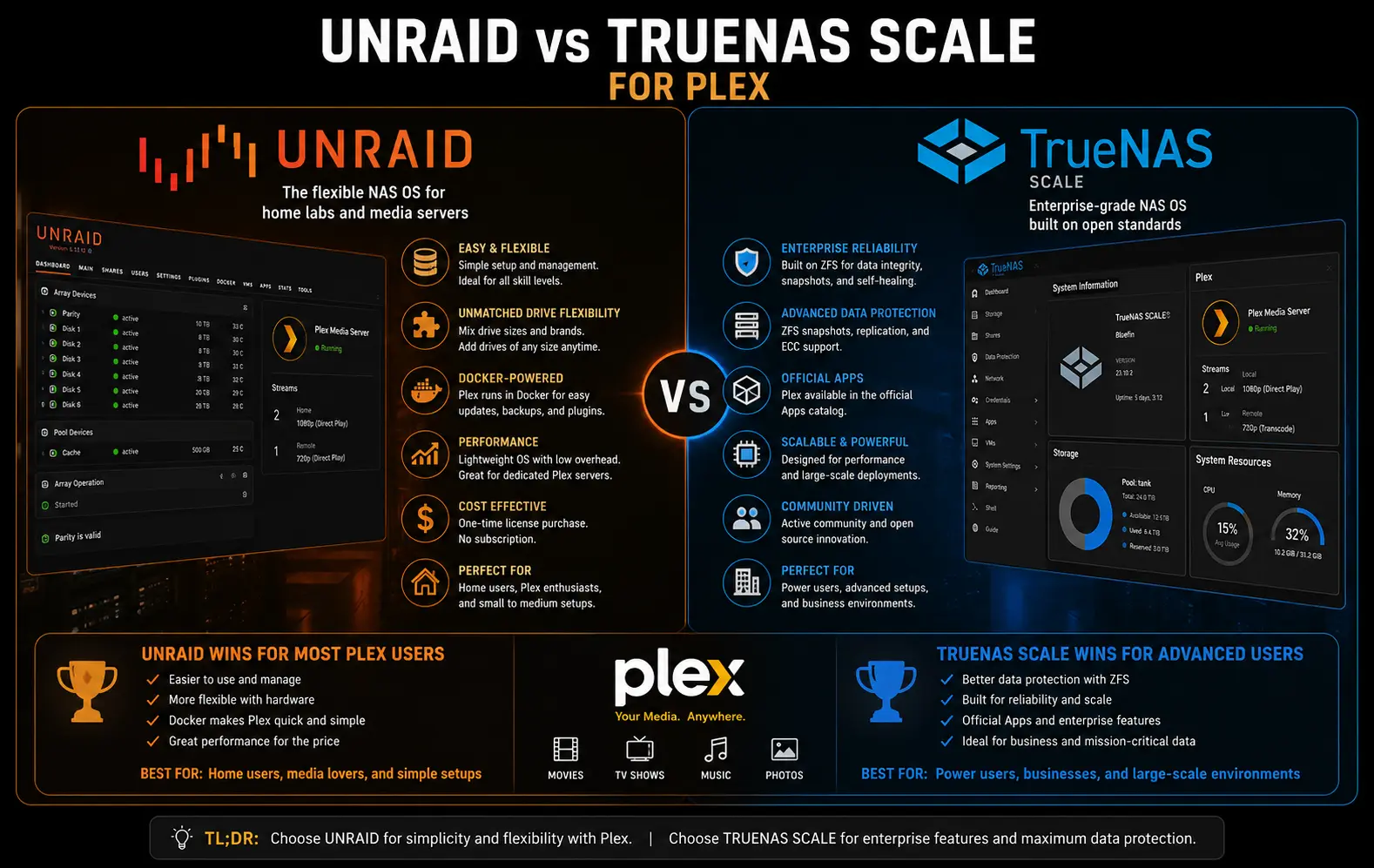
If you’re trying to pick between Unraid vs TrueNAS Scale for Plex, you’ve probably already read ten forum threads that contradict each other. I’ve run Plex on both, on the same hardware, switched back and forth more than once. So let’s skip the theory and get into what actually breaks and what actually works.
Quick answer: Unraid is generally the easier pick for a Plex-first build — Docker is native, GPU passthrough is more forgiving, and mixed-size drives just work. TrueNAS Scale wins if you care more about data integrity (ZFS checksumming, snapshots) than convenience, and you’re willing to fight with permissions and app updates occasionally. Neither one is “better” in a vacuum — it depends on whether you’re optimizing for uptime-and-simplicity or for storage paranoia.
Why People Keep Getting Burned By Both
This isn’t a “TrueNAS bad, Unraid good” situation, and honestly anyone who tells you that in absolute terms hasn’t run both long enough.
Cause 1: Architecture mismatch with expectations. Unraid uses an array model — one parity disk (or two), individual disks formatted independently, data spread across them. That means a single slow disk can bottleneck a read even though the rest of your array is fast. TrueNAS Scale uses ZFS pools and vdevs, so performance is closer to “as fast as your slowest vdev,” which behaves more predictably but punishes you hard if you mix drive types in one pool.
Cause 2: GPU passthrough fragility. This is the one that gets the most complaints. On TrueNAS Scale, especially after the move away from the old Kubernetes-based apps system toward the newer Docker Compose “Apps” stack, GPU passthrough into a Plex container has broken across version jumps more than once. People update, reboot, and suddenly hardware transcoding just stops working with no obvious error — Plex just falls back to software transcoding and quietly eats your CPU.
Cause 3: Permission mismatches between host and container. Unraid defaults Docker containers to UID/GID 99:100 (nobody:users), which lines up cleanly if you set your shares the same way. TrueNAS Scale apps run under their own UID mapping per app, and if your media dataset permissions don’t match, you get “Plex can see the folder but can’t read half the files in it” — which looks like a Plex bug but isn’t.
Cause 4 (the one people miss): ZFS’s atime property. By default it’s on, which means every single file access updates metadata on disk. For a Plex library with tens of thousands of files getting scanned, that’s a constant low-level write load you didn’t ask for. Nobody mentions this until their pool feels sluggish during a library refresh for no obvious reason.
Where This Actually Shows Up
A few real situations, not hypotheticals:
- NUC or mini-PC with one iGPU — this is where Unraid tends to win on convenience. The Nvidia/Intel GPU plugin route is well documented and mostly just works.
- Multi-drive home server with mismatched disk sizes — Unraid handles this natively; ZFS pools want matched vdevs or you’re wasting capacity.
- People coming from Synology — TrueNAS Scale’s permission model feels closer to what they’re used to, Unraid’s array concept feels foreign at first.
- Anyone who’s had silent data corruption before — they pick TrueNAS Scale every time, because ZFS checksumming actually catches bit rot. Unraid’s parity protects against drive failure, not against corruption on a healthy drive.
Unraid vs TrueNAS Scale: The Honest Comparison
| Unraid | TrueNAS Scale | |
|---|---|---|
| Storage model | Array + parity (per-disk) | ZFS pools (vdevs) |
| Mixed drive sizes | Handles it fine | Wasteful unless planned carefully |
| Docker for Plex | Native, mature | Newer Apps system, still maturing |
| GPU passthrough | Generally smoother | Has regressed across version updates |
| Data integrity | Parity protects against drive loss | Checksumming catches corruption too |
| License cost | Paid (one-time, tiered by drive count) | Free, open source |
| Learning curve | Lower if you’re new to NAS OSes | Steeper, especially ZFS terminology |
Not every row is a clean win for either side, and that’s kind of the point — your priorities decide this, not some objective score.
Step-by-Step: Setting Up Plex Properly On Either One
If you’re going Unraid:
- Install the Plex Docker container from Community Applications, not a manual VM. Almost nobody needs a VM for this anymore.
- Map your appdata, config, and media shares correctly — config goes on your cache pool (SSD) if you have one, media stays on the array. Mixing these up is the single most common slow-Plex complaint.
- Install the Nvidia driver plugin (or set up Intel iGPU passthrough) before you touch transcoding settings. Order matters here — installing it after Plex is already running sometimes requires a container restart to pick up the device.
[Image: Unraid Docker container settings page showing device mappings for GPU passthrough]
- Set UID/GID in container settings to 99:100 unless you’ve got a reason not to. This avoids most “can’t read this file” issues before they happen.
If you’re going TrueNAS Scale:
- Create a dedicated dataset for Plex media, separate from your config dataset. Don’t put them in the same dataset — recordsize settings that help video files (128K or larger) actively hurt small config/database files.
- Turn off atime on the media dataset.
zfs set atime=off poolname/media— this alone fixed a noticeable chunk of the “scans feel slow” complaints I’ve seen. - Install Plex through the Apps catalog, then check the GPU passthrough section under the app’s resource settings before saving.
- Double check the storage mount permissions — if Plex throws “permission denied” on specific folders only, it’s almost always a UID mismatch between the dataset ACL and what the app container expects.
What Actually Worked For Me
So here’s the thing — I moved my Plex server from Unraid to TrueNAS Scale specifically chasing better data integrity, and for about two weeks I regretted it.
The GPU just wouldn’t show up in the Plex container after a Scale update. I tried the obvious stuff first — reinstalling the app, checking driver versions, even rolling back to a previous Scale release. None of it stuck. I spent a frustrating evening convinced the GPU itself had died, which, in hindsight, was a pretty dumb conclusion since it worked fine in a different VM on the same box.
The actual fix came from a half-remembered comment on a forum thread I’d skimmed weeks earlier — something about the render group GID needing to be added explicitly to the app’s supplemental groups list after certain Scale updates, because the upgrade process doesn’t always preserve it. Added the GID back manually, restarted the app, transcoding worked instantly. No log message ever pointed at this directly. From what I’ve seen, this is a recurring issue across a few Scale releases, not a one-off.
The fixes people recommend most often — reinstalling Plex, resetting the dataset, reseating the GPU — almost never solve this specific problem. Checking the render group mapping is the thing that actually works, and it’s barely documented anywhere obvious.
Advanced Fixes and Edge Cases
Check dmesg and the system logs after a failed transcode, on both platforms. On Unraid, the Docker log for the Plex container will usually show a clear “no hardware acceleration device found” line. On TrueNAS Scale, you’ll want to check the app’s container logs through the CLI (k3s logs if you’re still on an older app stack, or docker logs on the newer Compose-based system) — the GUI log viewer sometimes truncates the relevant lines.
Run a ZFS scrub if you suspect corruption on TrueNAS Scale, not just a SMART test. SMART tells you about drive health; a scrub tells you about actual data integrity across the pool, which is the whole reason people pick ZFS in the first place. On Unraid, the equivalent is a parity check, but note — parity checks confirm parity consistency, they don’t verify file-level checksums the way ZFS does. That’s a real and meaningful difference, not just semantics.
Prevention Tips
- Don’t mix your Plex config/database storage with your media storage — different I/O patterns, different needs.
- Snapshot your TrueNAS Scale config dataset before any major version upgrade. Takes ten seconds, save you hours.
- On Unraid, keep your cache pool monitored — a full cache pool causes the mover to behave unpredictably and can stall Docker containers.
- Don’t run library scans during a parity check or scrub if you can avoid it. Both eat disk I/O and you’ll feel it in playback stutter.
FAQ
Does TrueNAS Scale need ECC RAM for Plex to work properly?
No. ECC is recommended for ZFS in general for peace of mind around bit flips, but Plex itself doesn’t care, and plenty of home setups run non-ECC RAM without issue.
Can I switch from Unraid to TrueNAS Scale without losing my media?
Yes, as long as you copy the media off first — the underlying filesystems aren’t compatible, so there’s no in-place conversion. Plan for a temporary external drive or a second machine.
Why does my GPU disappear from Plex after a TrueNAS Scale update?
Most commonly it’s the render group GID not carrying over correctly during the app upgrade. Check the supplemental groups setting on the app’s resource config first.
Is Unraid’s parity the same thing as TrueNAS Scale’s RAIDZ?
Not really — parity protects against drive failure, RAIDZ (built on ZFS) protects against drive failure and catches silent corruption through checksums. Similar goal, different guarantees.
Which one is faster for 4K transcoding?
Hardware transcoding performance comes down to the GPU, not the OS. Once passthrough is working correctly, you won’t notice a meaningful difference between the two for transcode speed itself.
Editor’s Opinion
honestly i go back and forth on this one more than i’d like to admit. unraid just gets out of your way faster, and for a media server that’s mostly what people want. TrueNAS Scale rewards you eventually if you stick with it, but the app system has been a little rough around the edges lately and that’s annoying when all you wanted was your shows to play. if you’re not the type to enjoy troubleshooting at 1am, go unraid. if you’ve already got opinions about checksums, you already know which one you’re picking.