I spent a Saturday afternoon fighting a local RAG system with Open WebUI and Ollama that kept “forgetting” the PDFs I’d just uploaded, and the fix turned out to be something I’d never have guessed. Once you get the pieces lined up, this setup gives you a private, offline way to chat with your own documents — no API keys, no cloud bill. Here’s what actually worked, and what wasted my time.
Quick Answer
- Install Ollama, pull a chat model (llama3.2 or qwen2.5 work fine) and an embedding model (nomic-embed-text)
- Install Open WebUI via Docker, pointed at your Ollama instance
- Create a Knowledge collection in Workspace, upload your files, and raise the context length on your Ollama model — the 2048-token default quietly ruins RAG
- Attach the knowledge base to a model or reference it in chat with
#collection-name - If retrieval feels broken, it’s almost always the context window, not the embeddings
Why RAG Setups Fail More Than People Expect
Local RAG sounds simple on paper: upload a document, ask a question, get an answer grounded in that document. In practice, there are a handful of specific failure points, and most tutorials skip right past them.
The context length trap. This is the big one. Ollama models default to a 2048-token context window. Web pages and PDFs routinely run 4,000 to 8,000+ tokens once you include headers, footers, and formatting junk. So even when retrieval works perfectly, more than half your document gets silently dropped before the model ever sees it. Nobody warns you about this until you notice the model confidently answering from a document it clearly never read in full.
Embedding model mismatches. If you switch your embedding model after documents are already indexed, old chunks stay embedded with the old model while new ones use the new one. Retrieval doesn’t error out — it just gets quietly worse, which is almost more annoying than a clean failure.
Chunk size and overlap set wrong for the content. Dense technical PDFs need different chunking than casual notes. The default settings are conservative so they work everywhere, but “works everywhere” usually means “works okay nowhere in particular.”
Race conditions on upload. If you’re uploading through the API and adding files to a knowledge base right away, you can hit a “content provided is empty” error that has nothing to do with an actually empty file. It’s a timing issue, not a data issue, and it had me convinced my PDF parser was broken for a good twenty minutes.
Technical Comparison: Where Things Usually Go Wrong
| Symptom | Likely Cause | Fix |
|---|---|---|
| Model ignores uploaded docs entirely | Context window too small (2048 default) | Raise context length to 8192+ in model advanced settings |
| Retrieval quality drops after re-indexing | Embedding model mismatch between old/new chunks | Re-index the whole collection, don’t mix embedding models |
| “Content provided is empty” on API upload | Race condition on knowledge base attach | Add a short delay, or retry the attach step |
| Docker container can’t reach Ollama | Wrong OLLAMA_BASE_URL | Use host.docker.internal:11434 on Mac/Windows |
Not every row here needed a perfect fix — the race condition one is honestly more of a “retry it and move on” situation than an engineering solution, and I’ll admit that’s a little unsatisfying.
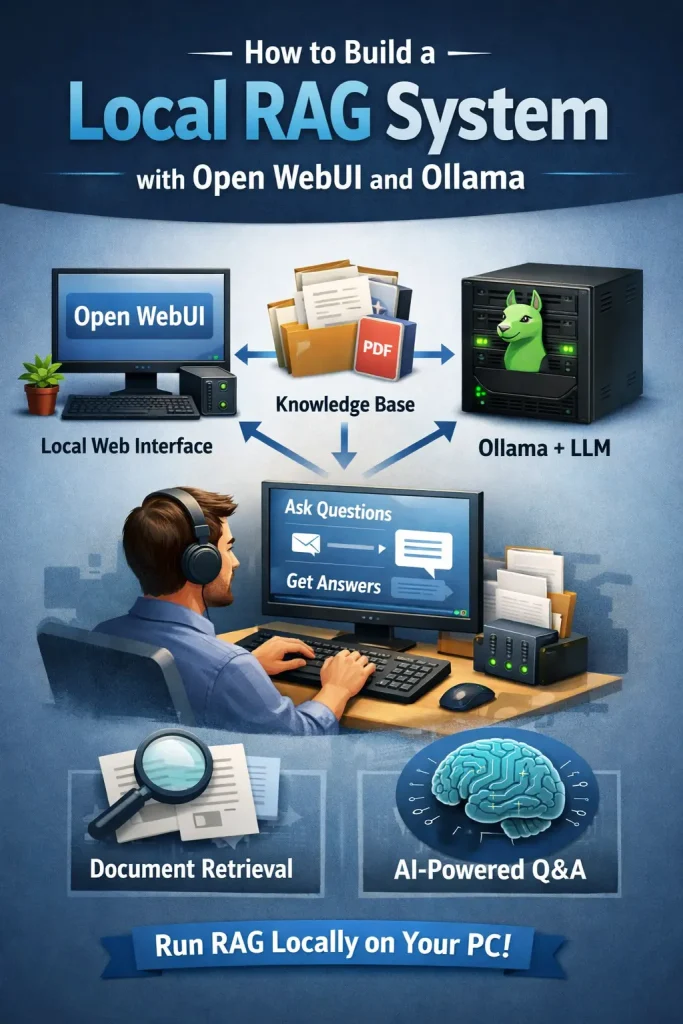
Step-by-Step Setup
Step 1: Install Ollama
Grab Ollama for your OS and get it running. On Mac and Windows this is a straightforward installer. On Linux, it’s a one-line curl script. Once it’s installed, pull a chat model and an embedding model:
ollama pull llama3.2
ollama pull nomic-embed-text
The embedding model matters more than people expect — it’s what turns your documents into vectors, and Open WebUI needs it to match whatever it’s using to embed your questions.
Step 2: Run Open WebUI in Docker
The simplest path is a single container:
docker run -d -p 3000:8080 --add-host=host.docker.internal:host-gateway -v open-webui:/app/backend/data --name open-webui --restart always ghcr.io/open-webui/open-webui:mainIf Ollama runs on a different machine or a different port, set OLLAMA_BASE_URL explicitly instead of relying on defaults. This one environment variable causes more “it just doesn’t connect” support threads than anything else in the whole stack, from what I’ve seen browsing the GitHub issues.
On Mac specifically — and this tripped me up — don’t run Ollama inside Docker if you’re on Apple Silicon. There’s no Metal GPU passthrough into Docker yet, so a Dockerized Ollama falls back to CPU and everything crawls. Run Ollama natively, keep Open WebUI in Docker, and let them talk over host.docker.internal:11434.
Step 3: Create a Knowledge Collection
Open Open WebUI at localhost:3000, create your admin account, then go to Workspace > Knowledge > New Collection. Upload your PDFs, Markdown files, or text documents. Open WebUI chunks them and stores the embeddings in its built-in vector database.
Step 4: Fix the Context Length Before You Do Anything Else
Go to Admin Panel > Models > (your model) > Advanced Parameters, and bump the context length up to at least 8192 tokens. Higher if your hardware can handle it. Skip this step and you’ll spend an hour convinced your RAG pipeline is broken when really the model just can’t see enough of what it retrieved.
Step 5: Attach and Test
Either attach the knowledge base permanently to a custom model, or reference it inline in any chat by typing # followed by the collection name. Ask a question you know the answer to from the document, and check whether the response actually reflects it — not just a plausible-sounding guess.
What Actually Worked For Me
My first attempt looked fine on the surface. Container running, model loaded, documents uploaded — and the answers were just generic. Not wrong exactly, just suspiciously vague, like the model was guessing based on the filename instead of the content.
I checked the embedding model first, because that’s what every guide tells you to check. That’s not entirely accurate as a starting point, actually — it wasted about forty minutes before I even looked at context length. I re-pulled nomic-embed-text, re-indexed the collection, tested again. Same vague answers.
So I went digging through the Open WebUI troubleshooting docs, mostly out of frustration, and found the line about the 2048-token default. Bumped my model’s context length to 8192 in the advanced settings, asked the exact same question again, and got a specific, accurate answer pulled straight from the PDF. That was the whole fix. One number, in a settings panel I’d scrolled past twice already.
A real-world scenario where this actually matters: I keep a knowledge base of Kuşadası Photo Booth contract templates and Elementor notes so I can ask “what’s our standard cancellation clause” instead of digging through folders. With the default context length, the model would sometimes answer from a completely different, unrelated document because it only saw a token fragment of the right one. After the fix, it consistently pulled from the correct file.
Advanced Fixes and Edge Cases
Enable filesystem-style knowledge access. If your model supports native function calling, turning on ENABLE_KB_EXEC gives it something closer to ls, grep, and cat over your knowledge base instead of a single blind vector search. Capable models chain these more reliably, and it noticeably helps with multi-document questions. It has no effect if you’re running in Legacy Mode, so check that first.
Move RAG context into the system message. By default, Open WebUI injects retrieved content into the user message, which shifts position as a conversation grows and forces the model to reprocess everything on every turn. Setting RAG_SYSTEM_CONTEXT=True pins that context to a fixed spot at the start of the conversation, which lets prompt caching actually work and makes follow-up questions noticeably faster.
Check for the embedding health-check timeout bug. Older Open WebUI versions had a blocking issue where local embedding calls could stall the health check entirely. If your container keeps restarting under load, either update to a version with the fix, extend the health check timeout, or switch to an external embedding engine so it stops blocking the event loop.
Prevention Tips
- Set context length before you upload anything, not after you’re debugging bad answers
- Don’t switch embedding models mid-project without re-indexing everything
- Keep chunk size reasonable for your content type — dense technical docs want smaller chunks than casual notes
- Update Open WebUI regularly; several of these bugs were already patched in newer releases
FAQ
Does Open WebUI store my documents in the cloud? No. Everything stays in your local vector database unless you’re deliberately using an external one.
Why does my model ignore half of a long PDF? Almost always the context length. Check that before anything else.
Can I use this with AMD GPUs? Yes, ROCm support for RDNA2/RDNA3 cards has gotten a lot more usable — not quite NVIDIA-tier, but no longer a science project.
Do I need a powerful GPU for this to be usable? Not necessarily. Smaller models run fine on CPU or modest consumer GPUs; you’ll just trade some speed for it. Your mileage may vary a lot depending on model size and quantization.
What’s the most common mistake people make setting this up? Blaming the embedding model when the real problem is context length. It’s the fix everyone reaches for first and the one that rarely helps.
editor’s opinion
honestly this stack is more forgiving than people expect once you know about the context length thing. everything else — docker networking, embedding models, chunking — is fiddly but googleable. the context window default feels like a trap nobody warns you about until you’ve already burned an afternoon on it. worth setting up if you actually care about keeping your documents off someone else’s server.